Common Questions
Everything you need to know about the MacGPUFix+ GPU fix — what it does, what to expect, and how to read the results.
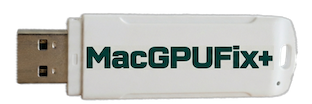
Writes a single NVRAM EFI variable (gpu-power-prefs) that forces your Mac to use the integrated Intel GPU instead of the failing AMD discrete GPU. Runs automatically on boot from a USB drive. Nothing is written to your internal drive.
MacGPUFix+ handles Step 1 — the EFI fix. This lets your Mac boot and display correctly. However, macOS still loads AMD GPU drivers at startup. Those drivers try to hand off to a GPU that is now disabled, which can cause instability under load. Step 2 removes those drivers. For now, manual patching using dosdude1's patcher is required. An automated patcher is planned for Phase 2.
External monitor support (HDMI and DisplayPort route through the AMD chip), GPU-intensive tasks like 3D gaming and heavy video rendering, and keyboard brightness keys. Workaround for brightness: Brightness Slider app (free on the App Store).
Everything else — web browsing, email, office work, music, video playback, all USB and Thunderbolt ports, networking, and all your files. Nothing is deleted.
SKIPPED means the EFI variable already exists in firmware — the tool detected it and did not overwrite it. If your screen is working, you are done. If your screen is still broken, perform a PRAM reset (three chimes required) and run MacGPUFix+ again.
The EFI subsystem was not accessible. Perform a PRAM reset and try again. If it continues to fail, open a GitHub issue with the full contents of gpu-fix.log.
The tool did not boot successfully. Most likely cause: wrong entry selected in the boot picker. Retry from Step 1 — hold Option at startup, keep holding for 15 seconds, press Left Arrow once to select MacGPUFix+.
No. A macOS update does not clear NVRAM. However, a PRAM reset will clear it — simply boot MacGPUFix+ again and it reapplies in under a minute.
No. The 13-inch 2011 model has no discrete GPU — the tool would do nothing useful and safely aborts if run on this model.
MacGPUFix+ only writes one NVRAM variable. Nothing is written to your internal drive, your OS, or your files. The tool safely aborts if run on an unsupported model.
Yes — perform a PRAM reset (Command + Option + P + R at startup, three chimes). This clears the EFI variable and your Mac returns to its previous behaviour.