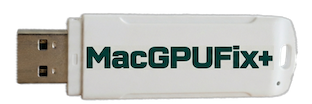
Download
Download MacGPUFix+
Create your MacGPUFix+ recovery USB — choose the method that works for your computer.
Fastest method — macOS one-liner
/bin/bash -c "$(curl -fsSL https://macgpufixplus.com/get/get-macgpufixplus.sh)"
Paste in a macOS Terminal prompt. The wizard guides you through every step and pauses before acting. Requires a USB drive — 4GB minimum.
Read the source code ↗
Manual Setup
Create the USB Manually — Select Your Platform
Download the image and checksum file, then follow the platform-specific instructions below.
Save both files to your Downloads folder before continuing.
🔧 Platform-specific instructions are being validated and will be published here shortly. In the meantime, use the macOS one-liner above. Share your thoughts
Verify Authenticity
MacGPUFix+ is open source and free. Only download it from these two official sources:
- macgpufixplus.com/download — this page
- github.com/MacGPUFix-Plus — official GitHub organisation
⚠ Do not trust unofficial copies. MacGPUFix+ writes directly to your Mac's EFI firmware. Only run it from a source you have verified.